Building a Filament Spool Manager in a Weekend with Vibecoding
/ Geert de Graaf
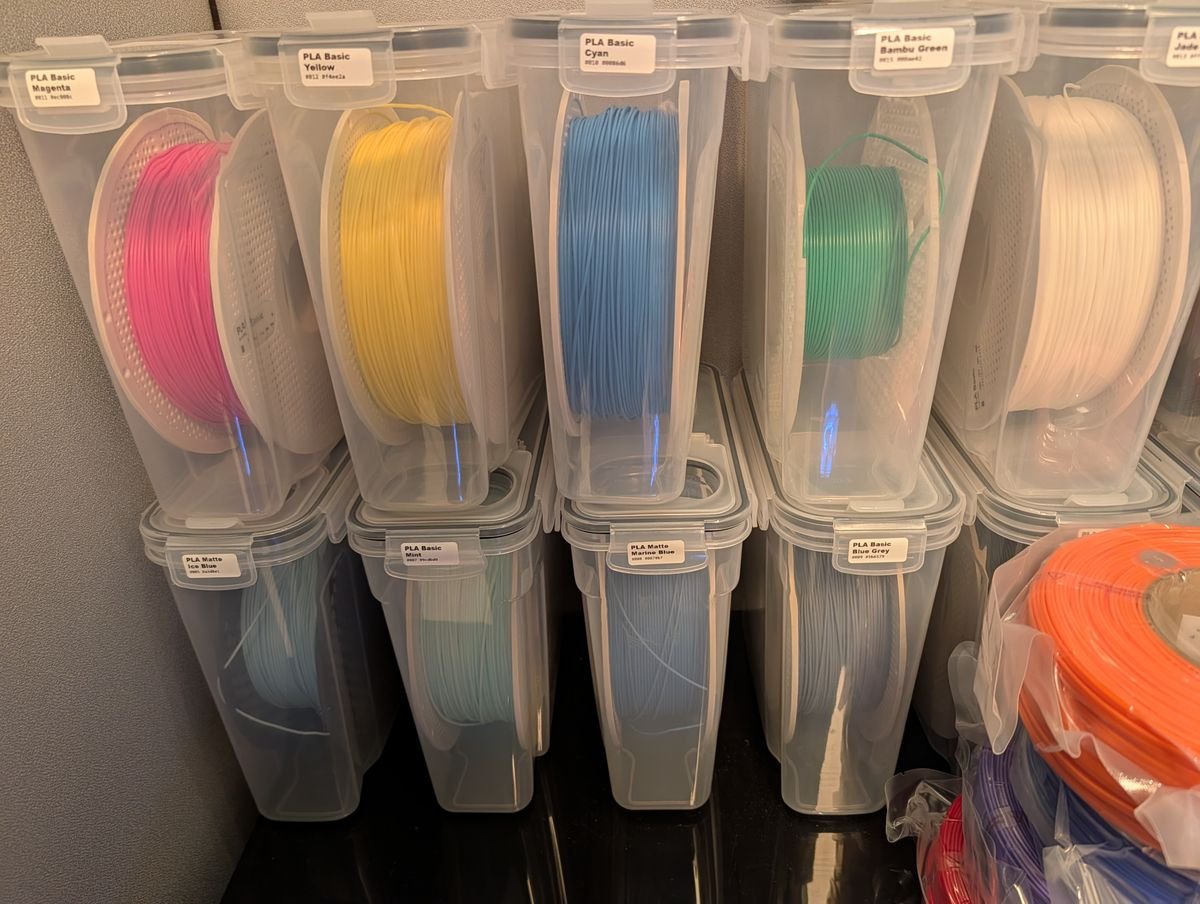
I have 22 spools of Bambu Lab filament, all stored in identical containers. Which one is the Cyan PLA? Is that Ice Blue or Marine Blue? Where did I put the PETG? This weekend I decided to fix that - by vibecoding a complete spool management system from scratch.
The Problem
If you own a 3D printer with more than a handful of filament spools, you know the struggle. Bambu Lab spools all look the same once they're out of the box. The only way to tell them apart is by color - and when you have multiple shades of blue, that stops working fast. I tried marker, tape, and sticky notes. None of it stuck (literally). I needed something better.
The Solution: BSM (Bambu Spool Manager)
What started as a simple idea turned into a full Android + web app in a single weekend. Here's what it does:
NFC Scanning
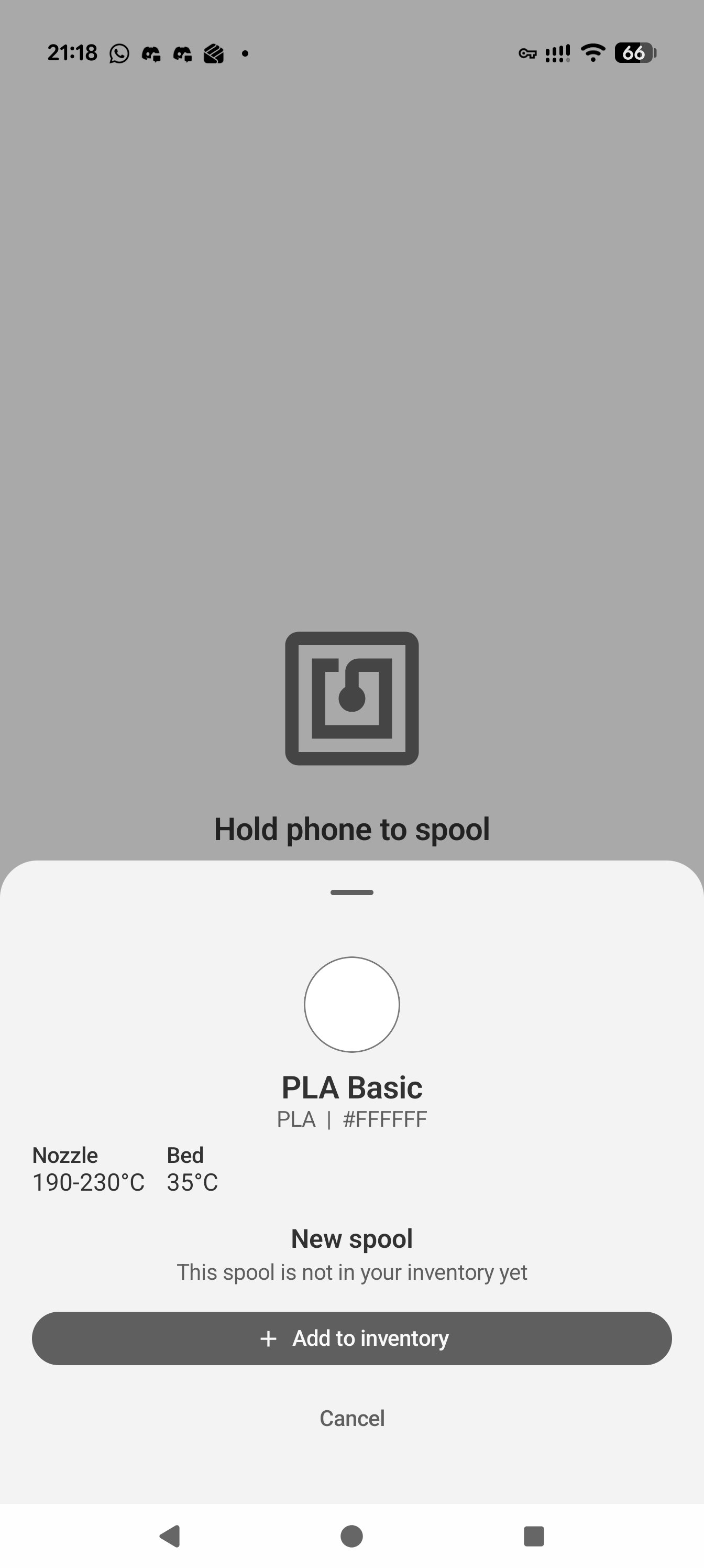
Every Bambu Lab filament spool has an NFC tag embedded in it. The Android app reads these MIFARE Classic 1K tags and extracts everything: filament type (PLA Basic, PLA Matte, PETG), color as hex code, weight, temperatures, production date, and a unique spool identifier.
The NFC authentication was the trickiest part - Bambu Lab uses HKDF-SHA256 key derivation from the tag's UID to generate per-sector authentication keys. The community has reverse-engineered this protocol, and I was able to implement it in Kotlin. Here's what's actually stored on each tag:
| Block | Content |
|---|---|
| 1 | Material ID |
| 2 | Filament type (e.g., "PLA", "PETG") |
| 4 | Detailed type (e.g., "PLA Basic", "PLA Matte") |
| 5 | Color (RGBA), weight (g), diameter (mm) |
| 6 | Temperatures (hotend min/max, bed) |
| 9 | Tray UID (unique identifier per spool) |
| 12 | Production date |
| 14 | Filament length (m) |
That's a lot of useful data hiding in a tiny NFC chip.
Cloud Sync & Inventory
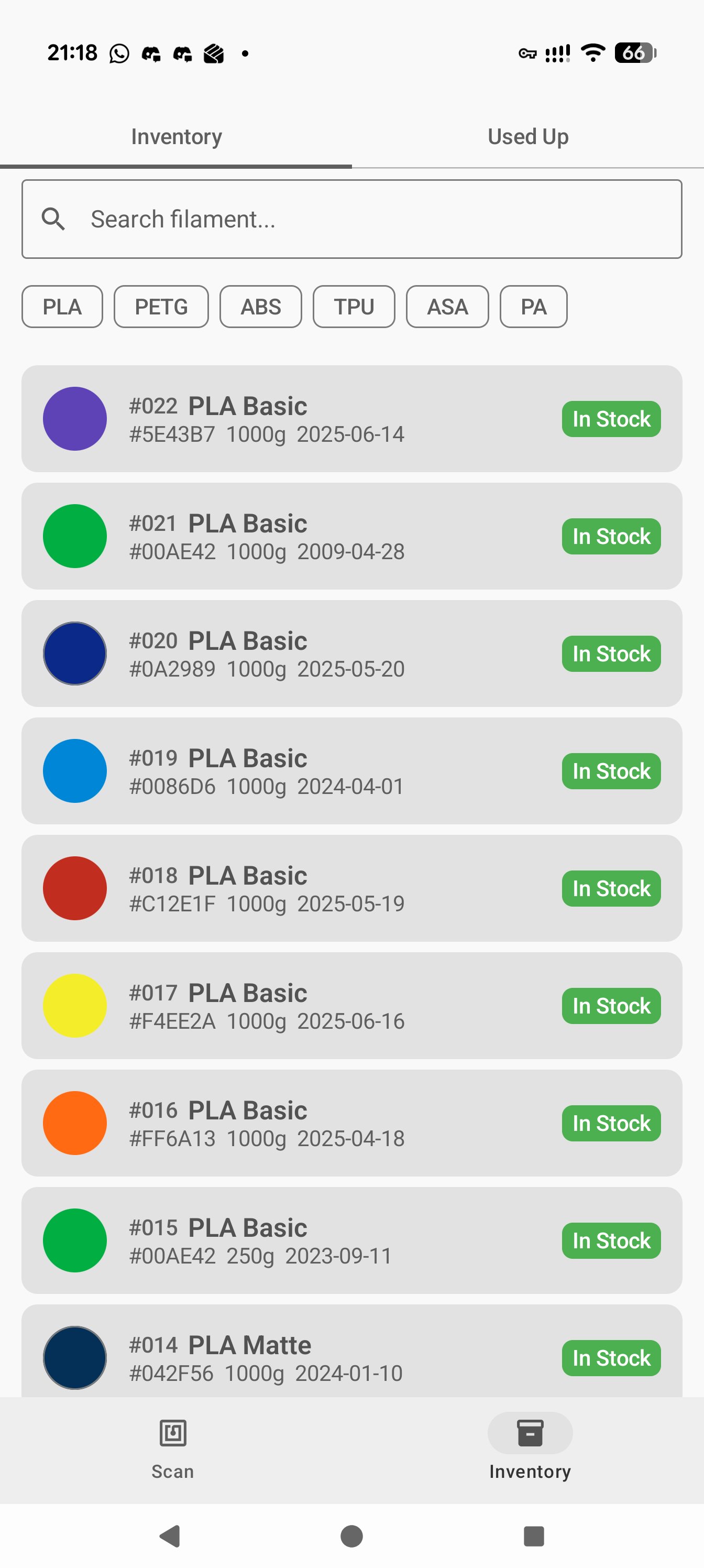
All spool data syncs to Firebase Firestore with Google sign-in, so I can manage my inventory from any device. Each physical spool gets a short ID (#001, #002, ...) and follows a simple lifecycle:
In Stock → In Use (in printer) → Used Up (kept for reorder reference)
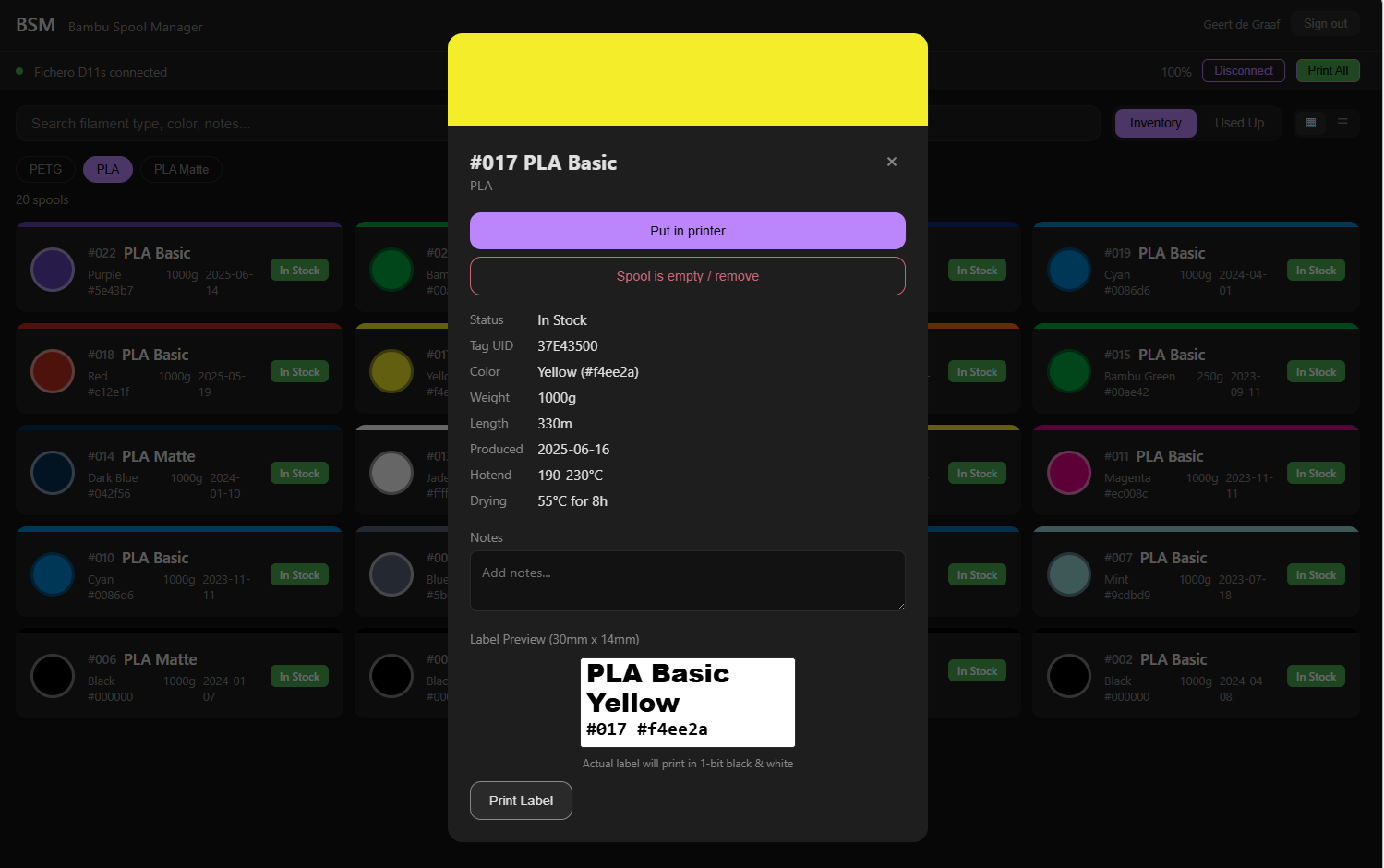
The web app gives me a dashboard with search, filters by filament type, and a sortable table view. Used-up spools stay in history so I know what to reorder.
Label Printing - The Best Part
This is where it gets fun. I picked up a Fichero D11s thermal label printer from Action for under 10 euro. Thanks to the amazing reverse-engineering work by @0xMH on the fichero-printer library, I was able to connect the printer directly to the web app using Web Bluetooth.
The web app renders each label on a 232x96 pixel canvas (matching the 30x14mm sticker size at 203 DPI), converts it to 1-bit monochrome with a threshold filter to handle anti-aliased text, and sends it to the printer via Bluetooth Low Energy. One fun detail: the Fichero D11s has a 96px printhead with a "left" print direction, so the canvas gets rotated 90 degrees before rasterizing.
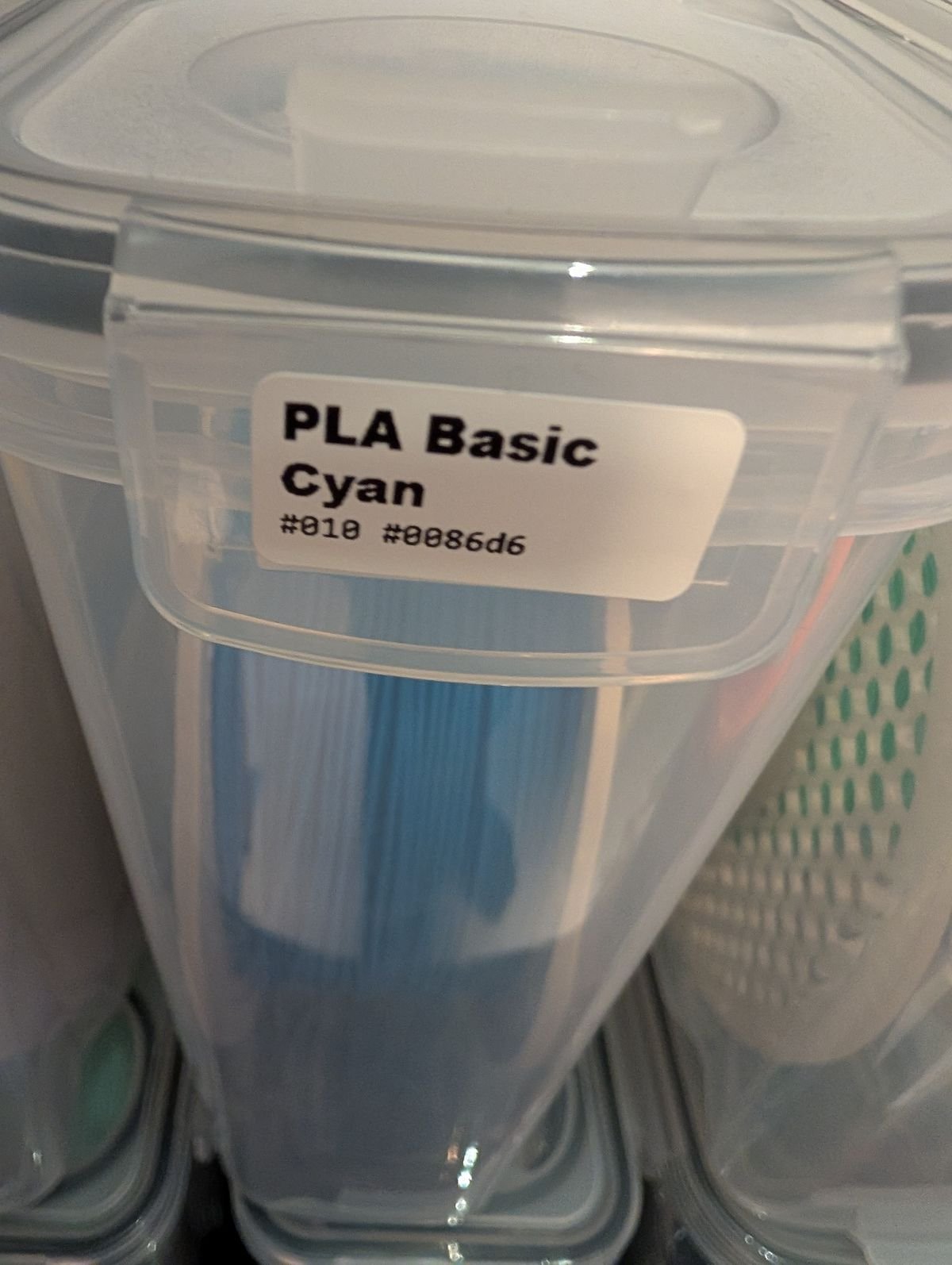
One click on "Print All" and 22 labels roll out - each showing the filament type, official Bambu Lab color name, spool ID, and hex code. Now every container has a clear label: PLA Basic / Cyan / #010 #0086d6. No more guessing.
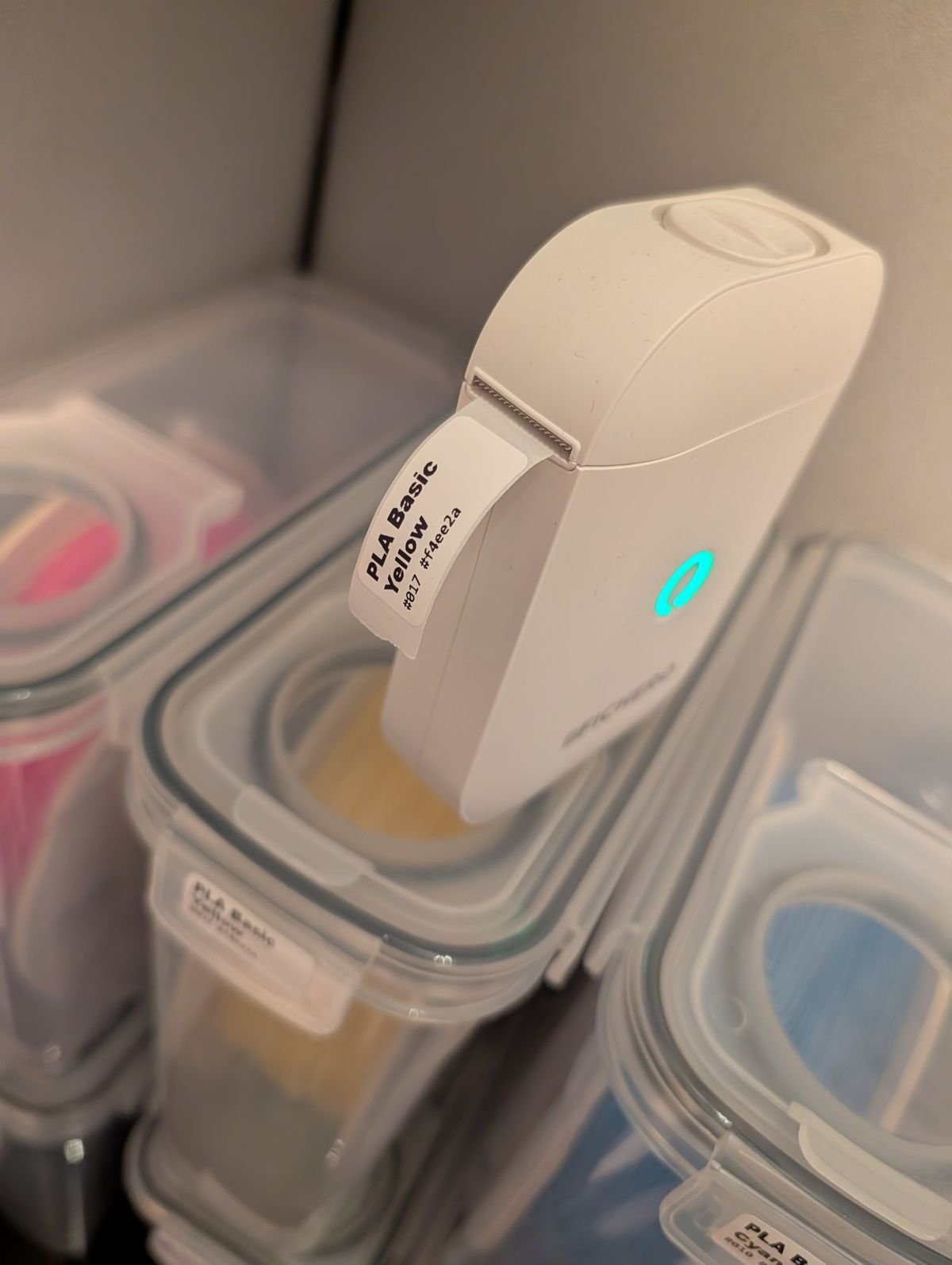
The labels are small but surprisingly readable. Each one shows everything you need at a glance.
The web dashboard lets you manage all spools, preview labels before printing, and print individual or batch labels directly from the browser.
The Vibecoding Experience
The entire project - Android app (Kotlin, Jetpack Compose, MVVM), web app (Firebase, Firestore), and printer integration - was vibecoded using GitHub Copilot with Claude. I described what I wanted, iterated on the solution, and shipped something real.
Some highlights of what the AI handled:
MIFARE Classic NFC authentication with HKDF-SHA256
1-bit thermal print rendering pipeline with anti-aliasing threshold
Web Bluetooth integration for the Fichero D11s
Bambu Lab official color name lookup from hex codes (with nearest-match fallback)
Firebase Firestore real-time sync with offline-first architecture
I focused on the product decisions - what the labels should look like, how the inventory should work, which data matters. The AI handled the implementation details.
Tech Stack
Android: Kotlin, Jetpack Compose, Material 3, Hilt DI, Room database
Web: Single-page HTML, Firebase SDK, Web Bluetooth API
Backend: Firebase Firestore (offline-first), Firebase Auth (Google sign-in)
Printer: Fichero D11s via fichero-printer library
Label: 30x14mm thermal stickers, 232x96px at 203 DPI
Try It & Open Source
The web app is live at bfm-bambu-filament.web.app and the full source code is on GitHub: github.com/geertdegraaf/bambu-spool-manager
Important: NFC phone compatibility. This app requires a phone with an NXP NFC chipset to read MIFARE Classic tags. Most Samsung phones use Broadcom NFC chips and won't work. You can check your phone by installing NFC TagInfo and scanning a Bambu spool - if it shows "MIFARE Classic" in the tech list, you're good. Confirmed working on Pixel 10 Pro XL.
What's Next
Connect to the Bambu Lab printer via MQTT to auto-detect which spools are loaded in the AMS
Add a colors tab for quick visual overview
Allow manual editing of filament type for spools with unreadable NFC data
Ten euro for a label printer, one weekend of vibecoding, and my filament chaos is finally under control.